- Jun 10 Sun 2012 00:03
-
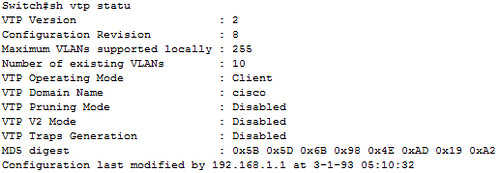
(cisco) VLAN Trunk Protocol
- May 13 Sun 2012 14:51
-
(CISCO) OSPF metric
話說1991年OSPF上路之後,CISCO就用『10^8/bandwidth』來計算鏈路的cost (CISCO好像比較喜歡稱作metric)。
10^8其實就是100Mbps,當時會用100M做分子不是巧合,而是在1991年時100M仍然是個神話。後來因為資源共享的氣候形成,導致對網路頻寬的需求暴增,802.3u(FastEthernet)很快地在1995年通過RFC。其後短短三年時間,OC-3(155M)、802.3z(GigabitEthernet)各種高速網路相繼問世。
問題就來了,當大於100M的鏈路套進『10^8/bandwidth』來計算的結果就是無條件進位成1,這將使得cost值形同虛設。所以CISCO早在1994年發布IOS 11.2的時候為metric的計算增加了一個"auto-cost reference-bandwidth"的指令,藉以彌補『10^8/bandwidth』公式的不足。這個指令可以將分子(也就是原本是10^8)的value指定在1到4294967之間,請注意,單位是"megabits per second ",而default為100。這樣,OSPF就又可以用上好一陣子了。
報告完畢~~
參考連結:
- Apr 17 Tue 2012 23:42
-
150m
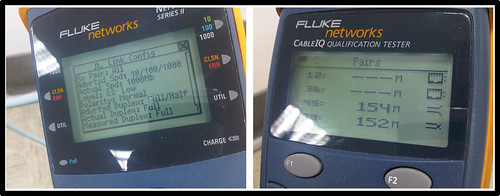
上篇介紹了牛B的山寨線,今天讓大家知道好線的極致性能!
這條線足足跑了150米,其中大約30米是12年前佈的AMP Cate 5,其他的部分是三年前拉的3M Cate5e,中間繼接用3M的keystone。這樣的組合,仍然跑出了1G的成績!
接上設備show了一下ethernet-controller,no runts,no giants。
快!快叫我超級水電工~~
同場加映
- Apr 06 Fri 2012 22:07
-
線也山寨乎?
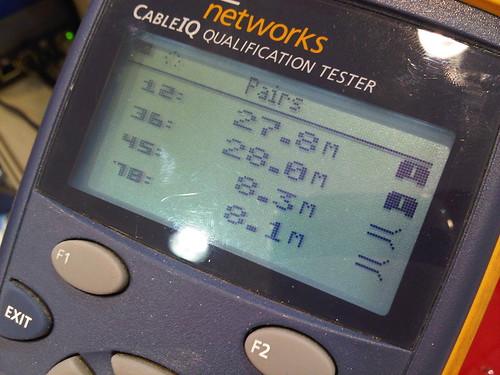
這是我目前遇到過最牛B的山寨網路線了,留文一篇以紀念。
通常跑10/100Mb只用到1&2、3&6這兩對線,所以很多不肖廠商就從4&5、7&8去偷料。山寨線大多有這樣的特徵,這條當然也不例外。
不過最牛B的是4&5、7&8竟然還可以時通時不通,而且每次測試出來的長度都不一樣耶。
很多佈線廠商只是做做家庭水電,不了解跑網路跟跑電話是不一樣的,他們通常會丟一句那是你電腦的問題,這時候如果沒有纜線測試儀幫你做驗證就等著挫屎。
大滿貫測試下來,連10BASE都不及格。
- Feb 13 Mon 2012 00:33
-
打包
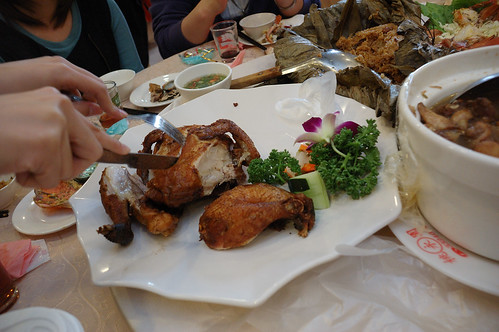
小時候跟著媽媽去吃喜宴,最期待的是最後一道菜,甜點。
最害怕的是甜點上完之後,媽媽總是開始將桌面看到的菜尾通通打包回家。
搞得我們好像是難民似的,我長大之後絕對不要像這樣子!
長大之後才發現,不一樣的是台上的新人,一樣的是我跟老媽相同的打包動作。
- Feb 11 Sat 2012 00:35
-
iPad 遇上 Cisco
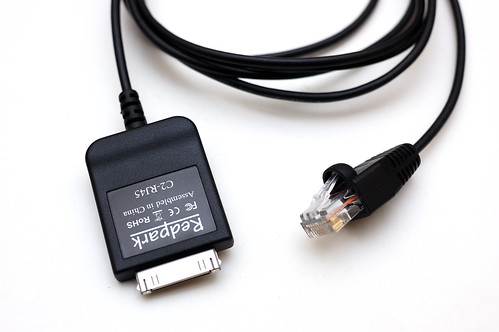
用這條線,一邊接iPad,另一邊接CISCO的console port。開機快,續航力也比notebook強,而且適用所有iDevice!
插上去之後iPad會自動抓到。
如果裝置上沒有對應的app就會導到app store上的對應軟體
就是這個『get Console』
這支app除了跑console實體線路之外,telnet及SSH也都支援。
- Jan 28 Sat 2012 04:04
-
iBooks 2
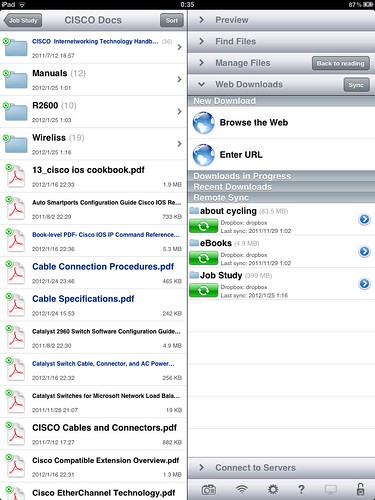
Apple號稱iPad是「電子閱讀器」,果然,官方那套iBooks讓人閱讀到生氣。
所以iPad到手沒幾天(感謝老妹),我就在Apple Store買了Good Reader。
Good Reader是我強力推薦的一個app,雖然他主打電子文件的功能,不過影音或者照片倒是通通給你支援上了。而且還可以sync各種雲端儲存,馬的一個強呀!
可以劃線做重點、寫memo
注意看上面那排有類似瀏覽器的分頁功能,在不同的文件之間來回很方便
- Jan 15 Sun 2012 14:42
-
Password Recovery Procedure
1.Press Break(CTRL+Break) on the terminal keyboard within 60 seconds of power up in order to put the router into ROMmon.
2.hostname>confreg 0x2142This step bypasses the startup configuration where the passwords are stored.
3.hostname>reset
The router reboots, but ignores the saved configuration.
4.Type no after each setup question, or press Ctrl-C in order to skip the initial setup procedure.
- Dec 31 Sat 2011 18:52
-
IBM RMA summary
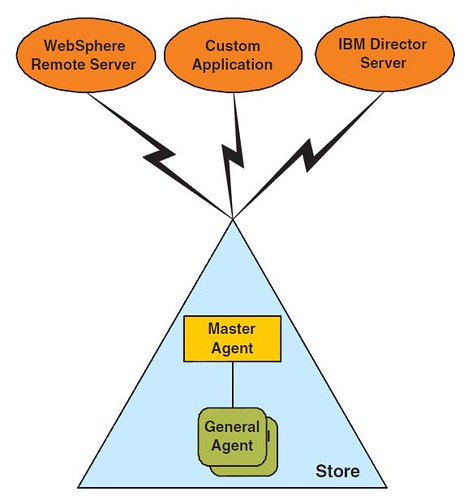
RMA infrastructure
RMA General Agent
Forms the client portion of the RMA infrastructure, running on each POS client device.
RMA Master Agent
- Nov 20 Sun 2011 02:50
-
Park Tool 變速器吊耳校正規
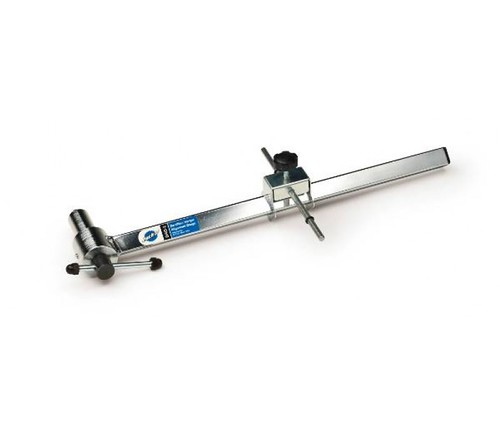
今兒個來介紹這個
官方連結:Park Tool Derailleur Hanger Alignment Gauge
後變速器是一個平行四邊形的結構,原則上不管在哪個檔位,導輪都應該平行於飛輪。(紅線B)
後變速器是固定在吊耳(勾爪)上的,所以當變速器遭受外力撞擊的時候,吊耳很容易走針,然後就是變速調到死就是不準,或是有異音。
在8、9速的時代因為每片飛輪的間距大,遇到吊耳變形用六角扳手插進去喬一喬,目視檢測多半能搞定。不過現在飛輪一多,越來越精密,靠校正規會比較實際。尤其現在的吊耳多半是鋁合金,不小心喬過頭就斷給你看。
- Nov 17 Thu 2011 00:23
-
Cross−Stack EtherChannel on a Catalyst 3750 Switch
PAgP cannot be enabled on cross−stack EtherChannels while LACP is supported on cross−stack EtherChannels from Cisco IOS Software Release 12.2(25)SEC and later.
Interfaces with the on mode configuration do not exchange PAgP or LACP packets.
These EtherChannel modes are supported on cross−stack EtherChannel:
active Places an interface into an active negotiation state, in which the interface starts negotiations with other interfaces by sending LACP packets.
passive Places an interface into a passive negotiation state, in which the interface responds to LACP packets that the interface receives, but does not start LACP packet negotiation. This setting minimizes the transmission of LACP packets.
- Oct 27 Thu 2011 01:51
-
20111019 AGAPE 髮藝發表

大會報告,八月份的時候我已經實現bike to work連續三年的承諾,來賓請掌聲鼓勵謝謝~~~
所以接下來的兩個月偷懶騎阿醜上班是非常合理的,大家也順便掌聲鼓勵一下謝謝~~~
---進入主題~進入主題~進入主題~進入主題~進入主題~進入主題~進入主題---
天底下最冷血、最不人道的事情,就是叫一個頭頂長不出毛的人去拍髮型發表會。
很好,今年 Angel 又遭手足推入火坑,所以我又來支援了。
